Manage slots
A slot is one inference endpoint: a podman container, backed by the
hal0-slot@<name>.service systemd unit, serving a model on a loopback
port. The hal0 slot CLI is a thin client over the API — every command
hits the local daemon at http://localhost:8080, so the CLI and the
dashboard always agree.
List and inspect
Section titled “List and inspect”hal0 slot list # every configured slot: state, model, backend, port, kindhal0 slot list --jsonhal0 slot status <name> # quick human-readable state/model/port checkhal0 slot show <name> # full status + on-disk TOML as JSONhal0 slot metrics <name> # live throughput/latency for the slothal0 slot capacity # aggregate memory/port headroom across all slots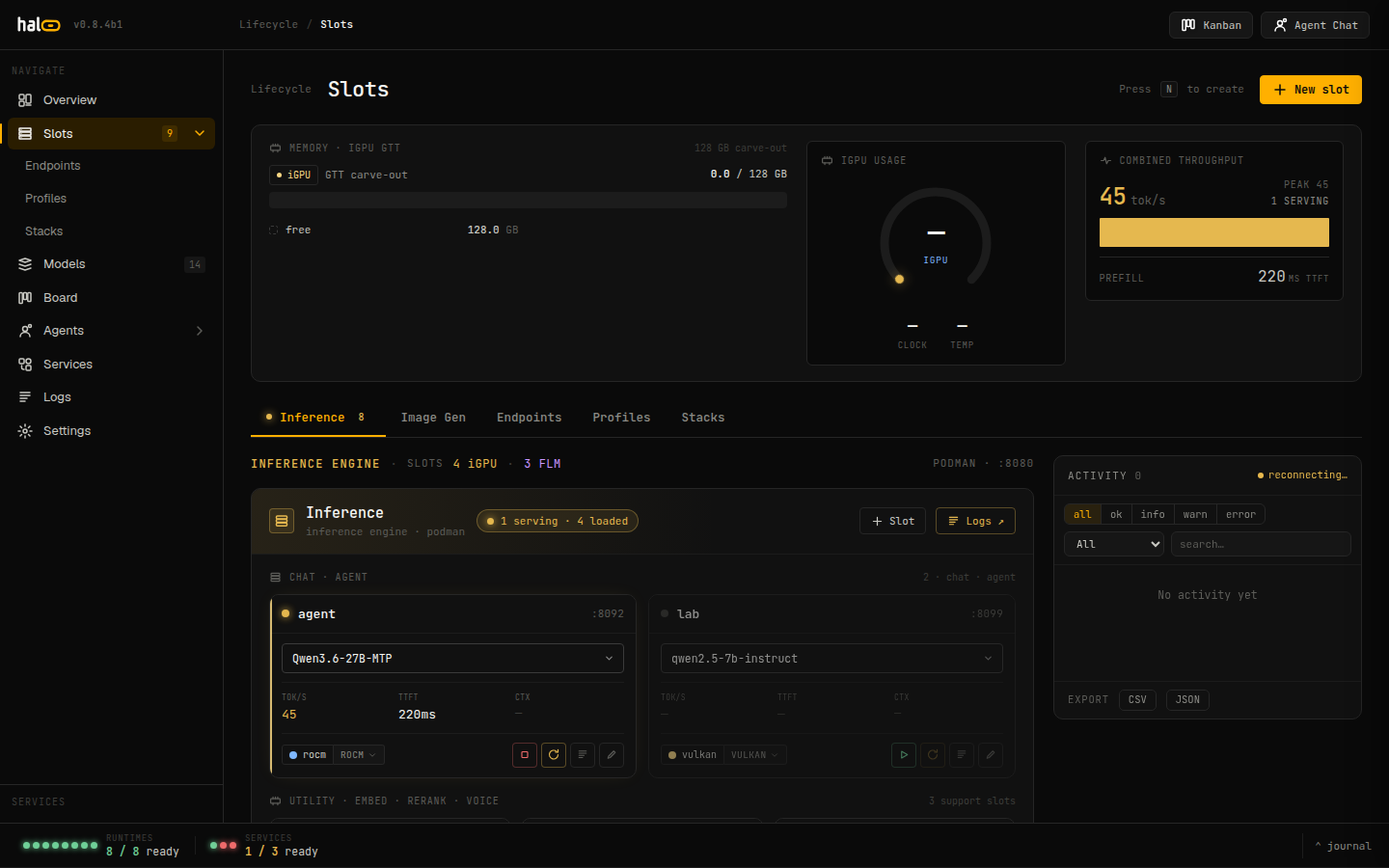 The slot list view shows live state, assigned model, device, and port for every configured slot.
status also prints a WARN config drift: ... line when the container’s
actual running launch flags no longer match what hal0 would render
today — see Config drift after an update.
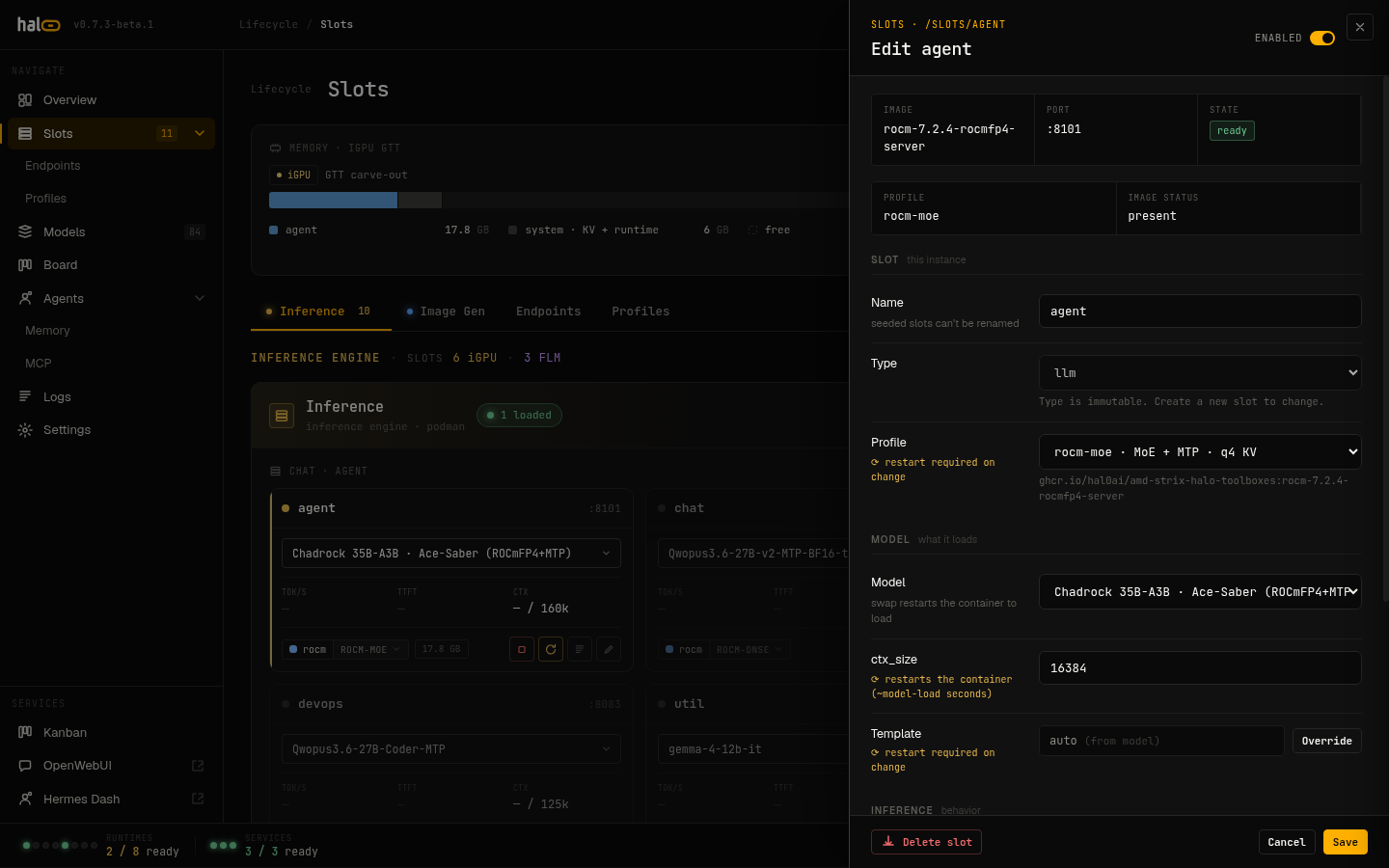 The slot detail panel combines live status with the persisted TOML config in a single view.
Create a slot
Section titled “Create a slot”hal0 slot create embed \ --type embedding \ --model nomic-embed-text-v1.5-q8_0 \ --hardware vulkan \ --ctx-size 8192-
name(positional) — the slot id, e.g.agent,embed,stt. -
--type/-t— how the dispatcher routes requests. One ofllm(default),embedding,reranking,transcription,tts,image. -
--model/-m(required) — the initial model ref to assign. -
--hardware— the compute backend:vulkan,rocm, orcpu. When omitted it reads the cached hardware probe:vulkanif no probe has run yet,cpuif the probe found no GPU. This sets the slot’sdevicefield directly (vulkan → gpu-vulkan,rocm → gpu-rocm,cpu → cpu) — as of v1.0, the slot owns its hardware grid (device,n_gpu_layers,threads,binary,image_pin), not the profile it references. A profile now only supplies flags/image template. -
--port/-p— the slot’s port. Omit it and hal0 auto-assigns the next free port. -
--ctx-size— context window in tokens (default4096).
Creating a slot writes its config and systemd drop-in but does not
start it — follow with hal0 slot load.
Load, restart, unload, rename
Section titled “Load, restart, unload, rename”hal0 slot load agent# or assign a model at load time:hal0 slot load agent --model qwen3.6-27bLoads the slot’s container and waits for it to go healthy. A bad
--model is rejected against the registry up front, so you don’t wait
out the health timeout on a typo.
hal0 slot restart agentUnloads then reloads — used after editing config that the running container baked in (ports, hardware grid, ctx size).
hal0 slot unload agentStops the container gracefully and returns the slot to offline.
hal0 slot rename agent primary-llmThe slot’s internal id is stable across a rename — only the label changes, so references from stacks and activity history stay intact.
Swap the model
Section titled “Swap the model”hal0 slot swap agent --model qwen3.5-9bA swap does two things by default, as two separate calls:
- Hot-swap the running slot to the new model (
POST /api/slots/{name}/swap). - Persist the new default to the slot’s on-disk config so it
survives a restart (
PUT /api/install/slots/{name}/model).
Pass --no-persist to try a model briefly without changing the default —
it reverts on the slot’s next restart:
hal0 slot swap agent --model phi3-mini --no-persistIf the hot-swap succeeds but the persist step fails, the runtime swap is left in place and the failure is surfaced so you can retry.
No enabled flag — a default model is the activation signal
Section titled “No enabled flag — a default model is the activation signal”A slot has no separate enabled boolean. A non-empty [model].default
on the slot is what makes it active; clearing the default (or never
setting one) is how you take a slot out of rotation without deleting it.
Edit slot config
Section titled “Edit slot config”hal0 slot edit agent --ctx-size 32768hal0 slot edit embed --hardware rocmPass any subset of --model, --port, --ctx-size, --provider,
--hardware. At least one is required. Changes the container baked in
(port, hardware grid) take effect on the next restart.
Dashboard: the inline model-edit pencil
Section titled “Dashboard: the inline model-edit pencil”Every slot card in the dashboard’s Slots view carries a pencil icon next to its model control. Click it to open the docked model drawer directly for the slot’s currently bound model — its launch flags, chat template, and capabilities, without leaving the slots view. The pencil is disabled when no model is bound yet.
This is a separate action from the model dropdown on the same card, which swaps which model the slot runs — the pencil edits the bound model’s own settings.
The Edit Slot drawer has its own model-edit entry point too: opening it docks a second model drawer to the left of the slot drawer, so your in-progress slot edits stay visible while you tune the model.
Editing multiple slots at once: Stacks
Section titled “Editing multiple slots at once: Stacks”The dashboard’s Stacks view (there’s no hal0 stack CLI command — it’s
dashboard/API only, GET/POST/PUT/DELETE /api/stacks[/{slug}]) lets you
edit several slots as one named, portable bundle instead of one at a
time. Apply (POST /api/stacks/{slug}/apply) creates any slot named
in the stack that doesn’t exist yet, then converges the live slot set —
applying a stack is a declarative replace of what’s currently running,
not a merge. [server].extra_args set from a stack row goes through the
same write-boundary screen as a direct hal0 slot edit — a blocked flag
fails that one slot’s convergence without aborting the rest of the apply.
See Stacks for the full concept — row fields, plan/converge phases, drift states, export/import/snapshot.
Config drift after an update
Section titled “Config drift after an update”A slot’s systemd unit bakes its launch flags in at load time —
updating hal0 changes the code that would render that unit, not the
unit file itself. hal0 update re-renders every existing slot unit
afterward, but never bounces an already-running container — a slot that
was serving when the update landed keeps running its old argv until its
next load, swap, or restart.
hal0 slot status <name> is how you check whether a running slot is in
that stale window — it prints WARN config drift: ... when the
container’s live argv no longer matches what hal0 would render today. If
you see it, hal0 slot restart <name> (or a dashboard restart) clears it.
Delete a slot
Section titled “Delete a slot”hal0 slot delete scratchStops the unit and removes the config. You’ll be asked to confirm; pass
--force / -f to skip the prompt.
Stream logs
Section titled “Stream logs”hal0 slot logs agent # last 200 lineshal0 slot logs agent --follow # -f, live SSE tailhal0 slot logs agent --lines 1000 # -n, more historyLogs come from the slot’s hal0-slot@<name>.service journal.
Migration helpers
Section titled “Migration helpers”A handful of one-shot hal0 slot migrate-* commands exist for bringing
older on-disk slot config forward through the v1.0 field-ownership
changes: migrate-id-keying, migrate-hw, migrate-caps,
migrate-flags, migrate-enabled-removal. hal0 update runs the ones a
release needs automatically — you shouldn’t need these by hand unless
you’re recovering a config that skipped a release.
Related
Section titled “Related”- Pull and register models — get a model into the registry before assigning it.
- Choose models — recommended picks per slot, the model-owned launch defaults, and the dashboard’s kebab menu.
- Edit configuration — the slot-owned hardware
grid and where
[server].extra_argsis screened.