Load your first model
The installer seeds slots and starts services — there is no setup wizard in v1.0. Models in hal0 live in a local registry, the single source of truth for Hugging Face coordinates, SHA-256 digests, and curated filenames. Populate it from the dashboard or directly from the CLI.
Via the dashboard
Section titled “Via the dashboard”Open the dashboard at http://<host>:8080 and use the Models view to
pull a curated pick and assign it to a slot — the largest-that-fits-your-RAM
picks are ranked first, with one starred as recommended, filtered to hal0’s
curated model catalogue so anything you pick already validates against the
registry. Slot assignment happens from the same view: pick a slot, pick a
model, apply.
Via the CLI
Section titled “Via the CLI”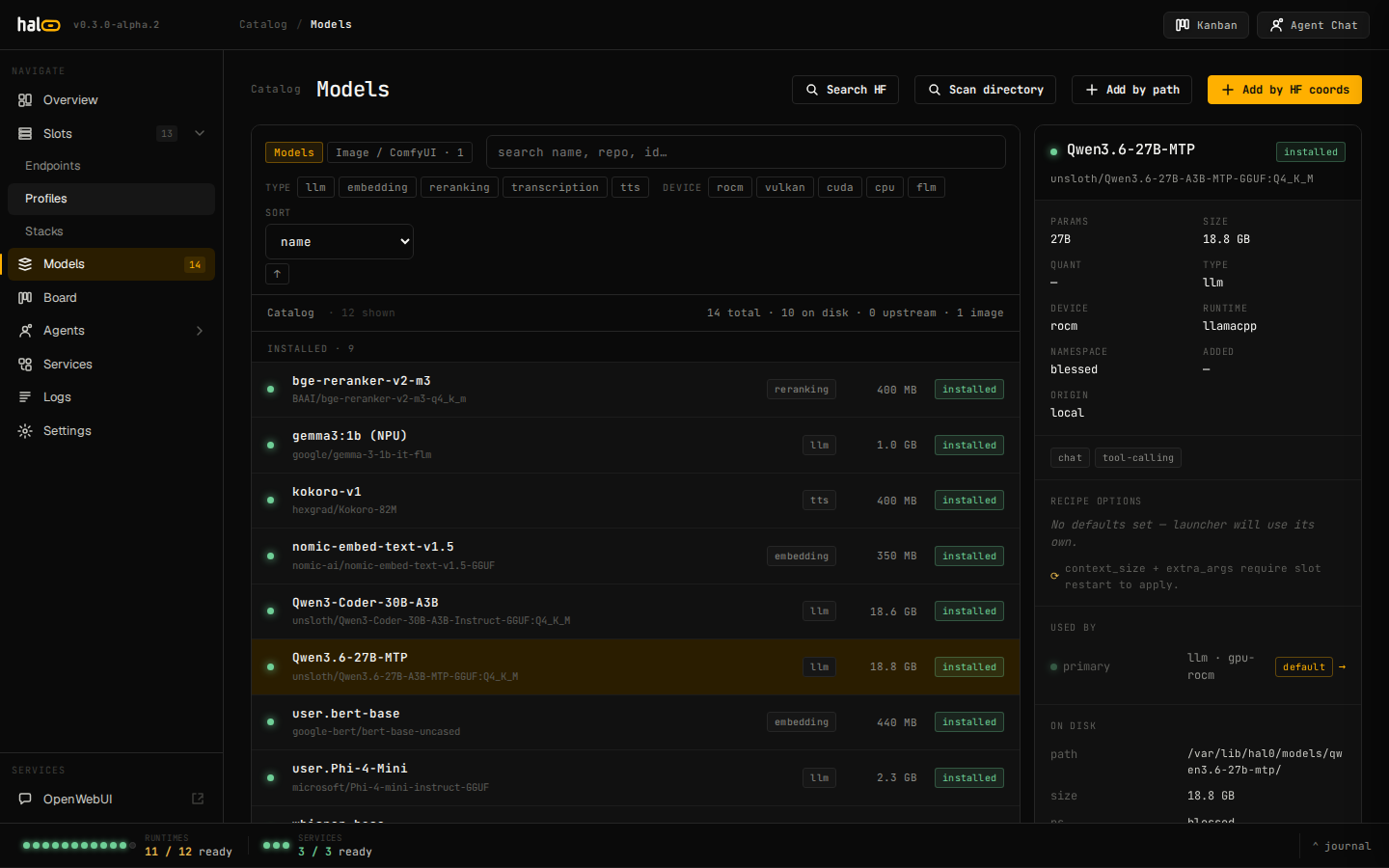
The Models view — registry, pull progress, and curated loadouts.
The hal0 model subcommand is a thin HTTP client to the API. The common
flow is list → pull → assign.
-
List what’s available — registry rows plus models advertised by configured upstreams:
Terminal window hal0 model listAdd
--jsonto emit the raw/api/modelspayload for scripting. -
Pull a model from Hugging Face. The argument is either a curated alias (e.g.
qwen3-4b) or a registered model id:Terminal window hal0 model pull qwen3-4bThe pull runs as a background job on the daemon. The CLI polls
/api/models/<id>/pull/statusevery 500 ms and prints a progress bar until the job reaches a terminal state, then reports the final path and SHA-256. If the curated pick is a vision model, itsmmprojprojector sidecar downloads automatically alongside the main GGUF — no extra step needed. -
Assign the model to a slot’s default (this does not start the slot):
Terminal window hal0 slot edit agent --model qwen3-4bThis writes
model.defaultinto the slot’s configuration.agentis the always-seeded default/anchor slot (see Slots); swap inutilityor any other slot name you’ve created instead. Start the slot afterward (see Manage slots). -
Verify the slot is up:
Terminal window hal0 statusConfirms the slot’s state machine reached its running state with the assigned model loaded.
Other hal0 model commands: add (record an on-disk file in the
registry), show (inspect metadata), and rm (remove a registry row).
When a pull fails
Section titled “When a pull fails”A pull job ends in one of these states: queued, running, completed,
failed, or cancelled. On failed, the CLI exits non-zero and prints
the error message returned by the daemon; the registry row stays in place
so you can retry.
# retry — an already queued/running pull for the same id is reused,# not duplicatedhal0 model pull qwen3-4bThe dashboard’s Models view surfaces the same failure inline with a
Retry button, and you can always pull later from there or via the CLI.
Re-issuing a pull for a completed/failed/cancelled
job replaces it; a pull already queued or running returns the
existing job handle rather than starting a second download.
Once a model is pulled and assigned, you’re ready to send your first chat.